AllmountMac beta

Mac and iPhone

Every cloud, one drive.

Mount Cloudflare R2, Amazon S3, Backblaze B2 or any S3-compatible bucket as a drive in Finder and a location in the iPhone Files app. Built for macOS 26 and iOS 26.

Coming soon to theApp StoreTry the free Mac betaWatch the video

Your keys stay in your device Keychain. There is no Allmount server.

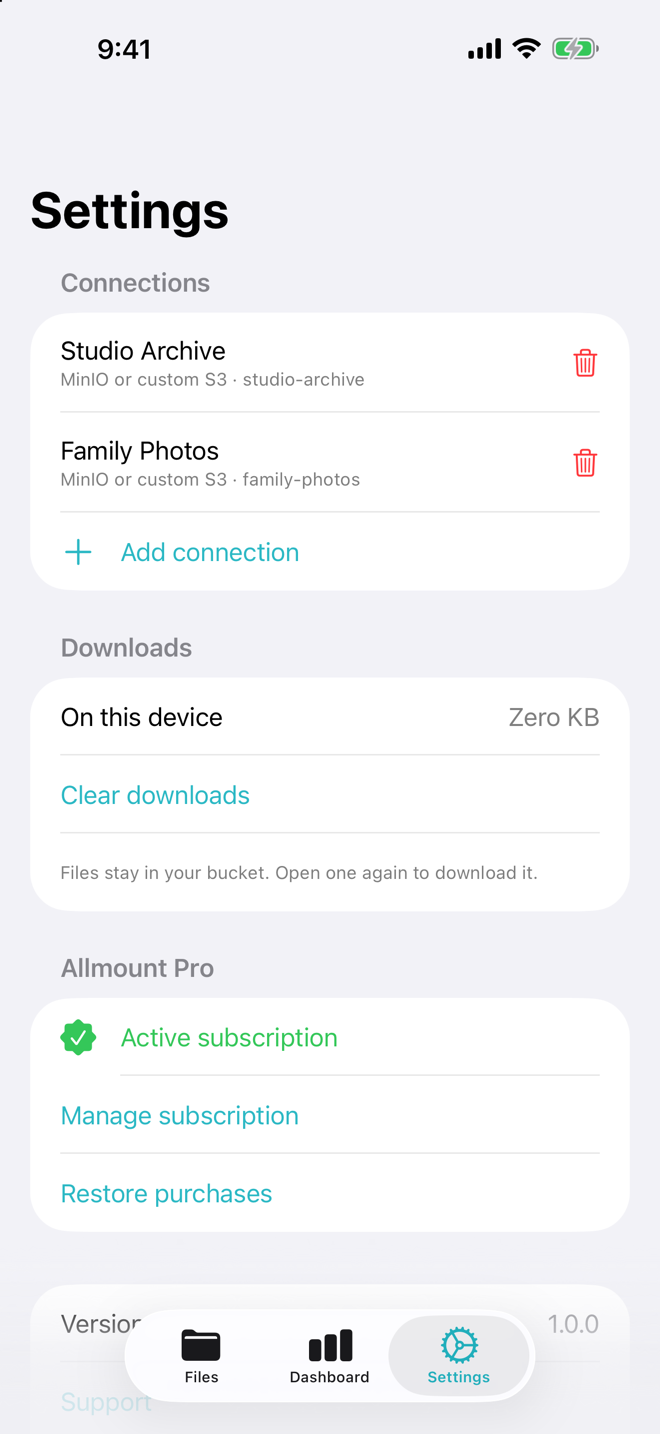
Allmount Settings on iPhone listing two connections, Studio Archive and Family Photos, with an active Pro subscription
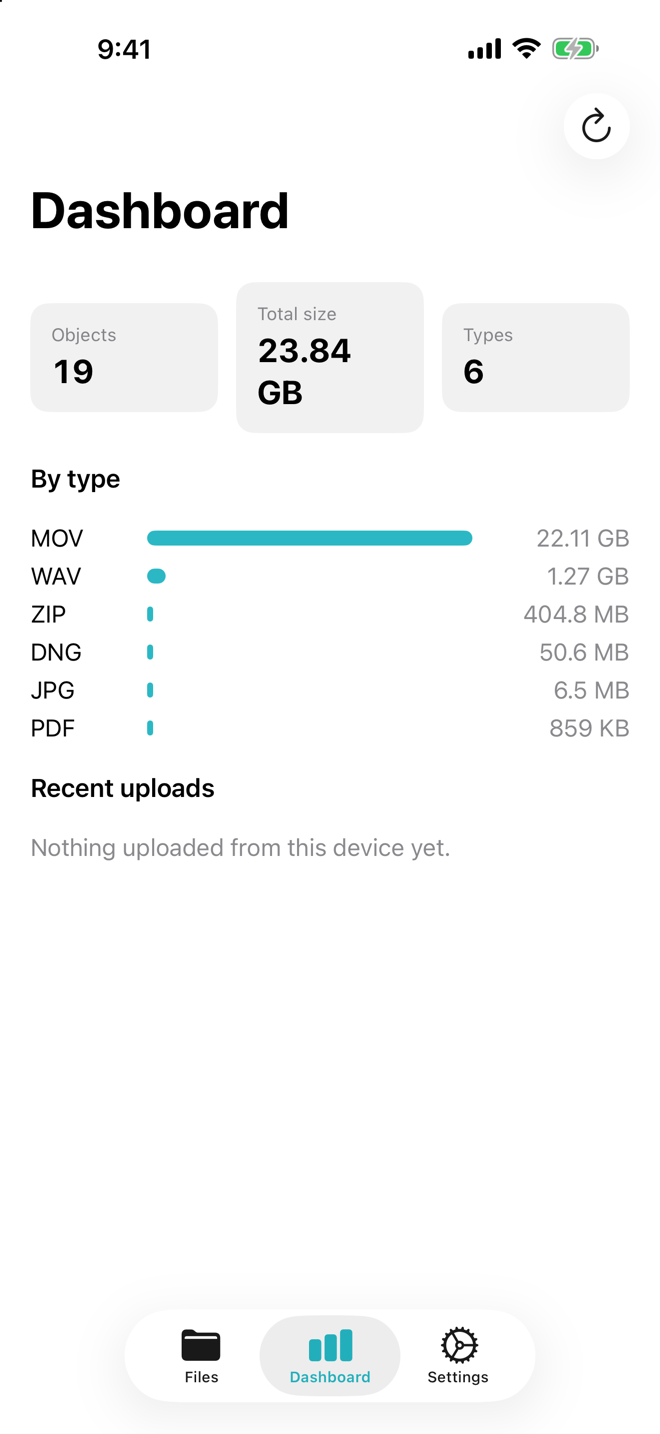
The Allmount bucket dashboard on iPhone: 19 objects, 23.84 GB in total, broken down by file type
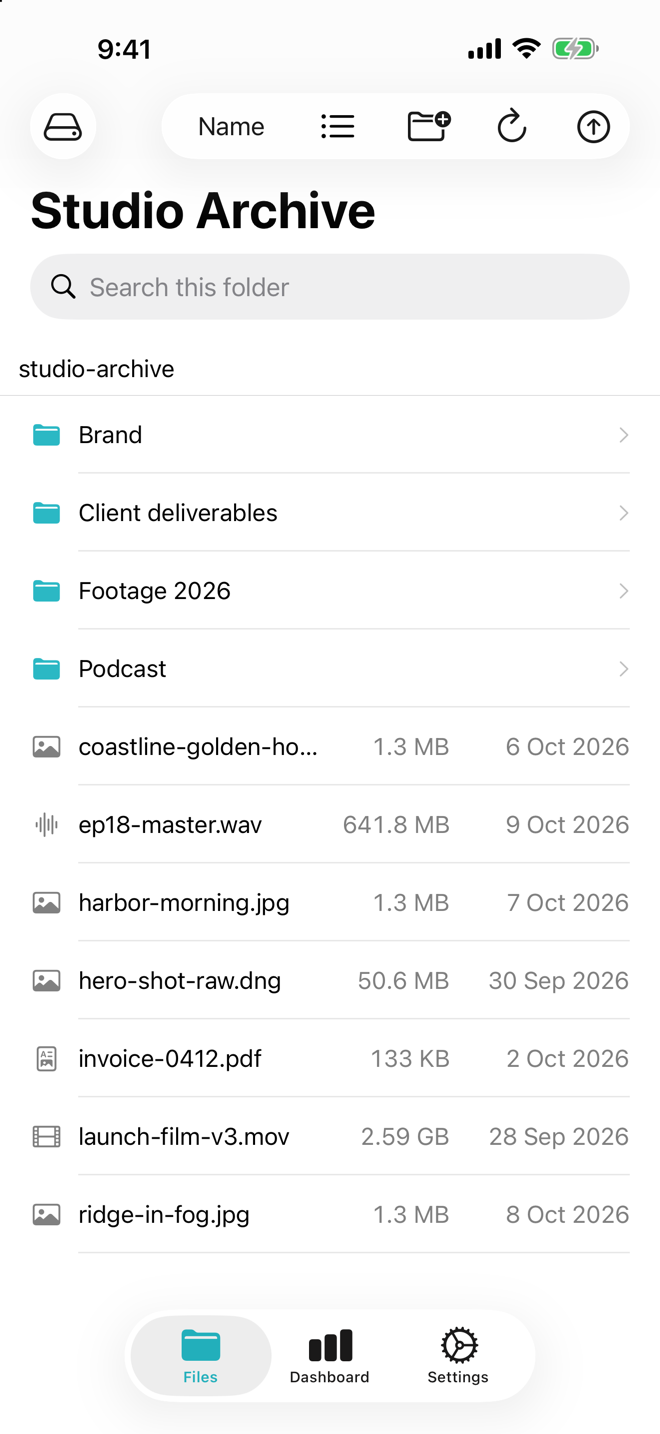
Allmount on iPhone browsing a bucket called Studio Archive, with folders, a 2.59 GB video and other files

See it in 80 seconds

Mac Pro plan

A Finder drive that uses no disk space.

Your bucket sits in the Finder sidebar next to your other disks. Files download only when you open them. A 4 GB video starts playing in seconds because Allmount fetches only the bytes the player asks for.

  • Create, rename, move, edit and delete in Finder. The bucket follows.
  • Changes made in the provider console or on another device show up within about 90 seconds while the app runs.
  • Remove Download frees the space and leaves the file in your bucket.
  • S3 has no rename, so renaming a big folder copies every object. It takes a while.
Nothing in the bucket takes space on your Mac until you open it.

iPhone Included in Free

Your buckets inside the Files app.

Allmount adds a location to the Files app, so any app that opens files can open yours. Save into a bucket from any Files picker. On iPhone a file downloads in full when you open it.

The Studio Archive bucket open on iPhone, with folders and files sorted by name and a search field

Menu bar Pro plan

Drag a file onto the Allmount icon and it uploads to your current connection, with progress in the popover. When it lands, copy a link that expires after 1 hour, 1 day or 7 days.

Uploads

Big uploads survive bad Wi-Fi.

Files over 64 MB go up in parts. If the connection drops or the lid closes, retry and Allmount picks up from the last finished part instead of starting over. Every file in the queue has its own progress and cancel.

Privacy

Your keys stay on your device.

Access keys go into the Keychain on your Mac or iPhone, stored device-only. There is no Allmount account and no Allmount server. The app sends no analytics. Files move straight between your device and your bucket.

And the small things

  • Many connections.

    Keep R2 for delivery, B2 for archive and MinIO at home, each with its own keys.

  • R2 jurisdictions.

    Buckets in Cloudflare's EU or FedRAMP jurisdiction connect to the right endpoint.

  • MinIO on your NAS.

    Point a custom endpoint at your NAS, and plain http works on your local network.

  • Quick Look.

    Press Space to preview a file before you open it.

  • Search and sort.

    Search the current folder and sort by name, size, date or kind.

  • Bucket dashboard.

    See object count, total size, a breakdown by file type and your recent uploads.

Compared

Where Allmount fits.

You already have two ways to reach a bucket. Here is how they stack up for daily use.

AllmountA web consoleA sync folder app
Disk space usedNone until you open a file (Mac)None, you download files by handOften a local copy of what you sync
Works in FinderYes, as a drive (Pro)No, it lives in a browser tabYes
Works in iPhone FilesYes, on the free tierNoDepends on the app
Streams videoYes on Mac, by byte range. iPhone downloads first.Download first, unless the console has a previewUsually downloads the whole file first
Needs an accountNo Allmount account. Your provider keys only.Your provider loginUsually an account with the app's own service

Web consoles and sync apps vary. This table describes the common case, not any one product.

Why we built this

We wanted our buckets to act like a disk.

We keep our files in object storage because it is cheap and we control the bucket. Getting at them was the annoying part. Every time, we opened a web console, clicked through folders and downloaded a file just to look at it. Sync apps wanted to copy the whole bucket to disk or route things through their own account.

We wanted the bucket to act like a disk in Finder and show up in Files on the phone. So we built Allmount.

The Allmount team

Free to start.

Pro when you want the drive in Finder and more than one bucket.

Free

$0

No account, no trial clock.

  • One connection
  • Browse and upload
  • Files app location on iPhone

Available at launch

Pro

Monthly
$9.99 / month
Yearly
$79.99 / year Save 33% over monthly
Lifetime
$99.99 once

Everything in Free, plus:

  • Unlimited connections
  • Finder drive on Mac
  • Menu bar uploads
  • Expiring share links

Available at launch

Prices in US dollars. The App Store charges your local currency, like rupees in India. One purchase covers Mac and iPhone, and Family Sharing is included. Purchases and refunds go through Apple. If a subscription lapses, your first connection keeps working and your settings stay put.

Questions

Anything else, write to allmount@twistorlabs.com.

Is my data stored anywhere other than my bucket?

No. Files go straight between your device and your bucket. The only other copies are files you open, cached on your own device.

Does it work offline?

Partly. Files you already opened stay on disk until macOS reclaims the space, so they open without a connection. Anything you have not opened needs one, because Allmount does not copy the bucket to your disk.

What happens if my Pro subscription lapses?

Extra connections and the Finder drive pause. Your first connection keeps working on the free tier and your settings stay in place. Subscribe again or buy lifetime and everything comes back without re-entering keys.

Does video stream on iPhone too?

Not yet. On iPhone, files download fully when you open them, which is how the Files app works today. Streaming by byte range is a Mac feature in this release.

Which providers are supported?

Cloudflare R2, Amazon S3, Backblaze B2, Wasabi, MinIO, DigitalOcean Spaces, Hetzner, Scaleway, Oracle, Google Cloud Storage through S3 interop, and any custom S3 endpoint. Azure Blob, native Google Cloud Storage, WebDAV, SFTP, Google Drive, Dropbox and OneDrive are planned, no dates yet.

Can I use it with MinIO on my NAS?

Yes. Add a custom endpoint with your NAS address and port, then paste the keys. Plain http is allowed only on your local network. Use https when your NAS supports it.

When can I download it?

Allmount is not on the App Store yet. It will ship as one app for Mac and iPhone.

Bring the bucket you already pay for.

Allmount is coming to the App Store for Mac and iPhone. Free to start.

Coming soon to theApp Store